

If you are reading this, you may be a beginner, an experienced designer, an individual, or more. No-code web builder tools offer you a way to build a website without coding, regardless of who you are and your skill set.
What are No-Code Website Builders?
No-code website builders are web development tools that allow users of varying skill levels to create websites without the need to code. A common phrase to highlight that benefit is “No code required” (Cypher et al., 2006).
No-code platforms usually offer features like pre-built components, drag-and-drop interfaces and more to replace interfacing with web technologies like HTML, CSS and Javascript.
Advantages of No-Code Website Builders
No-code website builders are designed to be simple. Examples of this simplicity include intuitive drag-and-drop interfaces and more. This ease of use eliminates the barriers to entry that often deter individuals with limited design experience from pursuing the creation of their own websites.
No-code website builders’ other advantage is speed. Web dev methods using code are known to take significant time (and money) to launch websites with and often involve lengthy design and development cycles. With no-code platforms, this process is made considerably easier. In addition, due to user-centered design and speed will result in a lead generating website that converts users into buyers.
What to Consider When Choosing a No-Code Website Builder
When you decide to build your website without coding, you may want to factor in things like ease of use, the number of available templates (and if they are included or if there are extra premiums on templates) and customization options.
You should look for a no-code development platform with straightforward design tools and ensure your no-code tools provide features that improve the likelihood of future growth for your website’s needs.
Read Also: How to Choose the Right Website Builder: Key Factors to Consider
List of the Top 10 No-Code Website Builders
Webflow
📄Description
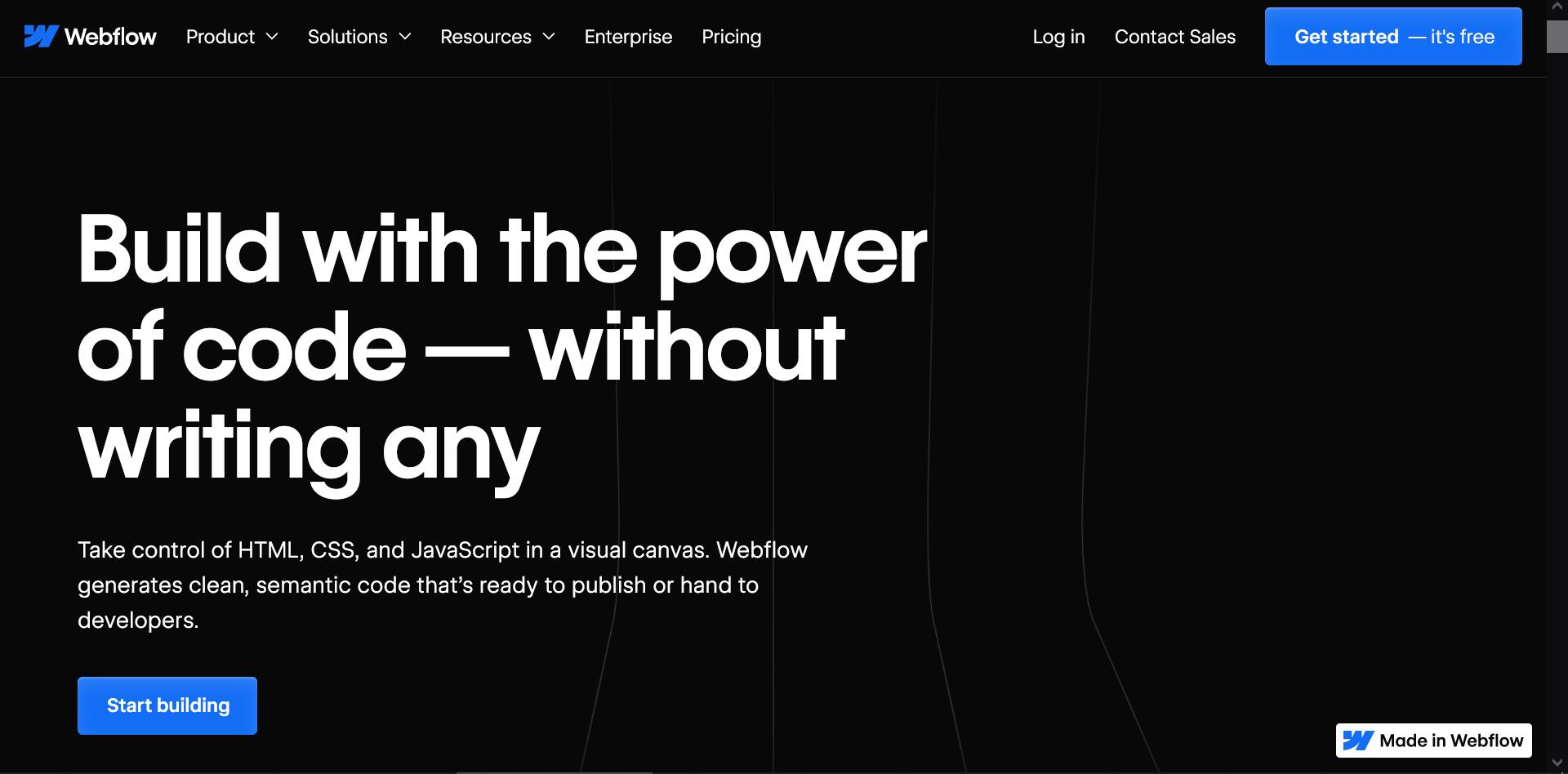
Webflow helps many types of potential users (designers, entrepreneurs, businesses, etc.) create websites without any coding. Webflow simplifies web development by allowing users (beginner to advanced) to design and launch pro-looking websites.
⚙️Features
Webflow offers an array of features. If messing with a website’s front end is your thing, Webflow’s “Visual Canvas” allows users to modify HTML, CSS, and JavaScript code in a website. There is integration with many third-party tools and services like e-commerce, analytics, and marketing.
✅Pros
Webflow’s user interface is okay for new users but caters to technical users. It offers design flexibility that few can match, and users enjoy complete control over CSS properties and class systems, empowering them to craft unique and visually stunning websites.
❌Cons
Despite its advantages, Webflow presents some challenges for new users, negated slightly thanks to its no-code nature. Achieving impactful results with Webflow often requires a significant time investment, as users must dedicate themselves to learning and mastering its features.
💸Pricing
Webflow provides a range of pricing plans tailored to meet the needs of different types of users. Prospective users can select the plan that aligns best with their budget and scale with the platform, a feature that is missing from many no-code website builders.
🔝Best For
Webflow stands out as a great option for most users, but certainly for those with some experience in development and web design choices for a variety of users.
Read Also: Top Webflow Design & Development Agencies for High-Impact Websites
WordPress

📄Description
WordPress is an open-source content management system (CMS) that was initially designed for blogging, but over time, WP has evolved to support various types of web content. With plugins like Elementor or WPBakery, WordPress expands from a good CMS into one of the top no-code website builders.
⚙️Features
WordPress offers block-based editing, providing real-time adjustments to your content. WordPress also offers extensive customization options, allowing users to select from their chosen themes or start from scratch, tailoring colors, fonts, layouts, and other elements to suit individual preferences.
✅Pros
Whether you’re establishing a personal blog, showcasing professional portfolios, or launching e-commerce stores, WordPress offers the necessary tools and features. Its free and open-source nature benefits many, but you may have to pay for other things like hosting and plugins to get the same functionality as other no-code website builders.
❌Cons
Despite its user-friendliness, WordPress presents a learning curve for users aiming to master its more advanced features. WordPress may take time to master, but it is an excellent tool for anyone looking to research website development.
WordPress’ customization may also be a downfall to a particular user, as it necessitates a certain level of technical understanding.
💸Pricing
Whilst WordPress is free to use, additional costs may arise from themes, plugins, hosting services, and other services, including payment processing if you are in e-commerce. Pricing varies based on your specific needs and your chosen provider.
🔝Best For
WordPress appeals to a varied audience, making it an ideal choice for various individuals and businesses. Users are drawn to WordPress’ flexibility, plugin ecosystem, and supportive and vocal community.
Read Also: Top WordPress Website Design Companies for an Attractive and Functional Website
Squarespace

📄Description
Squarespace stands out by catering to a wide range of users like businesses and creatives. There is truly something for everyone here. With Squarespace, you can create a web presence with ease!
⚙️Features
There are many Squarespace features that streamline the webdev process, like customizable templates and drag-and-drop functionality. If e-commerce is your thing, Squarespace allows setting up online stores and managing inventory easier than most other no-code website builders.
✅Pros
One of Squarespace’s main advantages is the visually appealing templates, which appeal to design-focused web projects. Squarespace’s packages include hosting. If the whole point is not to be technical, having hosting included is a big win.
❌Cons
Despite Squarespace’s many pros, its customization options can be perceived as somewhat restrictive compared to other platforms. You may find their customer support responsiveness to be lacking in comparison to other no-code website builders.
💸Pricing
Squarespace offers pricing plans that suit the needs and budgets of different users. Options on show range from basic personal plans to advanced business plans.
🔝Best For
Squarespace is best for both individuals and businesses who are looking for visually stunning, low-effort websites that won’t break the bank.
Wix
📄Description
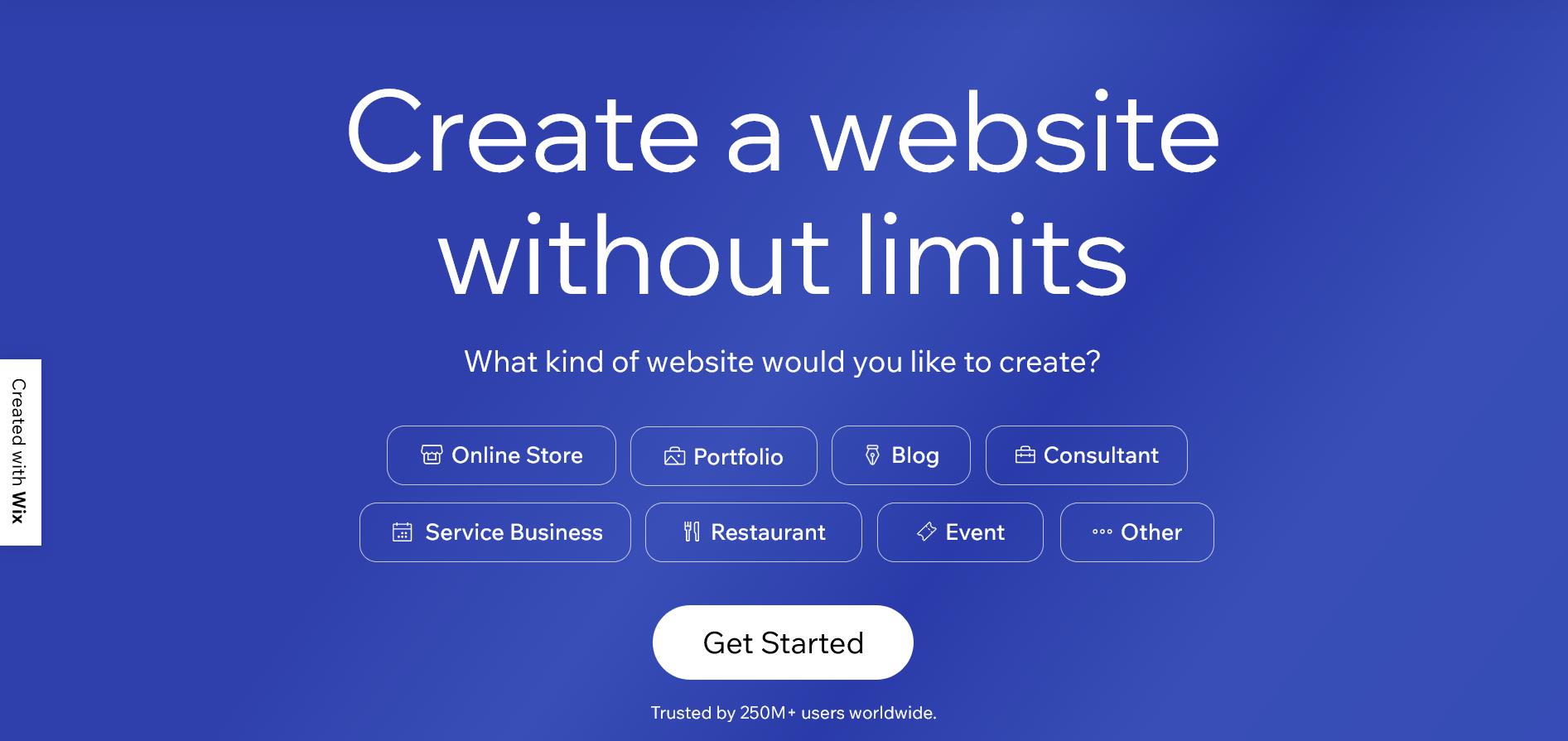
Wix is a big player in the ecosystem. The type of user Wix attracts is those just starting out on their website-building journey, but they do have features that allow users to expand further than just basic website design.
⚙️Features
Those features that cater to users, beginner to advanced, include an extensive library of professionally designed templates. Most importantly, these templates can be modified! This ensures users can find the perfect match for their brand or project.
✅Pros
Wix is genuinely easy and a breath of fresh air compared to native WordPress without plugins. It’s quite common to see students and graduates making portfolio websites in Wix.
❌Cons
Despite its strengths, Wix may not be suitable for users seeking highly advanced customization options or extensive coding capabilities.
💸Pricing
Wix offers a range of pricing plans to accommodate different needs and budgets. From free options with limited features to premium plans offering advanced functionalities and e-commerce capabilities, users can choose a plan that aligns with their requirements.
🔝Best for
Wix is best suited for those just starting out. There are things you can do in Wix, like create an e-commerce store, but Wix shines for things like personal portfolios and student/graduate websites.
Read Also: Top Wix Web Design Agencies That Deliver Both Design and Performance
Weebly

📄Description
Weebly is one of the leaders for many different types of websites (one-pager websites, e-commerce stores, blog websites, etc.) With Weebly, there is truly something for everyone.
Due to its ownership by payment processor Square, founded by Twitter’s founder Jack Dorsey, there is naturally a business and commerce element to Weebly.
⚙️Features
Weebly boasts features tailored to enhance online presence. From drag-and-drop tools to advanced eCommerce solutions, it caters to various needs. Their mobile app enables easy management on the go.
✅Pros
Weebly’s user-friendly features are simpler than those of more advanced no-code website builders like Webflow. With Weebly’s mobile responsiveness features, you can be confident that the websites you build are going to scale.
❌Cons
While Weebly offers a range of features, some users may find its customization options slightly limited compared to other platforms. Additionally, certain advanced functionalities may require third-party integrations, adding complexity for some users.
💸Pricing
Weebly has various pricing plans and even includes free options. With the free features, they can be beneficial for checking Weebly out, but I recommend the premium tiers for the full website design tool suite that it provides.
🔝Best For
Weebly is ideal for those on the entrepreneurial side of things. If your website has a commerce element, Weebly might have what you need.
Shopify

📄Description
Shopify might be one of the most well-known builders. One cool fact about Shopify is that it powers 10% of total US e-commerce (Fazeli, 2023). Who knew?!
⚙️Features
Shopify’s appeal is in the fact that it is the de facto of the zero-code website builders that focus on e-commerce. When you think about buying online and the tech behind it, you think of Shopify, and the numbers back that up.
Shopify knows how to make tools for any skill level. It has an ecosystem of designers who know its tools should you wish to use freelancers (or hire in-house), it has plugins, and it has a drag-and-drop store creator, eliminating coding almost entirely.
✅Pros
Shopify’s major strength lies in its extensive ecosystem of apps, integrations, and people who know how to use the platform to build things. Shopify’s flexibility and scalability make it a must for e-commerce startups.
❌Cons
Despite many benefits, some users may find Shopify’s enterprise pricing structure restrictive. While they do offer free trials, when using Shopify, it is the additional expenses that happen later (additional plugins, subscriptions, etc.) that can be restrictive to those looking to grow.
💸Pricing
Shopify offers tiered pricing to suit businesses of all sizes and budgets. Users can select a plan and upgrade or downgrade as their business evolves.
🔝Best for
In my opinion, Shopify benefits those who are looking to scale into enterprise-level e-commerce and don’t want to have an in-house development team.
Read Also: Best AI Website Builders: An In-Depth Practical Comparison
Carrd

📄Description
Carrd offers simple, free, and fully responsive one-page websites for various purposes. Carrd’s straightforward vision ensures ease of use rarely seen within the other no-code website builders.
⚙️Features
Carrd provides users with a multitude of customization features. You can start with the numerous templates available or start from scratch with a completely blank canvas.
One great thing about Caard is that you can start designing your website completely free of charge.
✅Pros
The primary advantage of Carrd lies in its simplicity and accessibility, which has come up several times in this list and certainly rises above most of the no-code website builders.
Carrd’s generous free tier, combined with its simple interface that even your grandmother could make a website on, make it ideal for beginners who need something beautiful. While the free version is good enough for experimentation, upgrading will lead to more features.
❌Cons
While Carrd excels in simplicity and affordability, it may lack certain advanced features demanded by experienced developers or users with complex website requirements. The platform’s focus on one-page sites may limit its suitability for some users compared to other no-code website builders.
💸Pricing
Carrd operates on a freemium model, allowing users to create up to three sites per account at no cost. Carrd offers a Pro subscription starting at just $19 per year. This subscription unlocks various premium features.
🔝Best for
Carrd works for pretty much everyone and anyone looking for something simple. It all depends on the project. If you want simple and easy, Carrd really works while providing a slick and robust offering that most no-code website builders can’t match.
The most comparable of the no-code website builders would be Wix, but I think for most users not interested in commerce that Carrd wins out.
Tilda

📄Description
Tilda Publishing is the team behind Tilda, a curveball option in the opinions of many. It is focused on blocks, similar to WordPress, with over 550 pre-designed blocks that a user can use.
Tilda offers a playground for creativity, enabling users to construct bespoke websites, online stores, landing pages, or blogs swiftly and with ease. The platform prides itself on its intuitive interface, akin to a game, ensuring the website building process remains simple, enjoyable, and accessible to all.
⚙️Features
At the heart of Tilda lies its intuitive website builder, allowing users to piece together their pages using an array of pre-designed blocks. From fullscreen covers to photo galleries, Tilda’s block library covers a spectrum of design needs, catering to various content types. Its adaptability makes it stand out from similar no-code website builders.
✅Pros
Tilda’s strength lies in its simplicity and versatility. With a focus on typography and visual content, Tilda empowers users to create visually stunning websites that leave a lasting impression compared to other no-code website builders.
This makes it a great tool for those looking to scale their business, especially if the users are familiar with a system like WordPress.
❌Cons
While Tilda offers an extensive library of pre-designed blocks, some users may find its design options somewhat restrictive compared to other platforms. Additionally, users with specific design requirements may find the platform’s customization options limited.
💸Pricing
Tilda’s range of pricing plans is one of the sleekest things about the platform. Other no-code website builders should take note. You can start for free. If you are making a personal website, it’s $10 a month. If you are making a business website, it’s $20 per month. Simple!
The Tilda pricing model is unmatched by most no-code website builders.
🔝Best for
Tilda is one of the ideal no-code website builders for those seeking a WordPress block-style offering and looking for an alternative to WordPress.
Tilda provides the tools and flexibility required to bring any online vision to any computer or phone screen.
Bubble

📄Description
When they say “The world’s only full-stack, the no-code platform,” I intend to believe them… Bubble might just be the perfect no-code development for a certain type of user that wants complete control without bringing on external devs and managing development infrastructure. Entire technology startups are built on Bubble’s no-code web builder tools.
⚙️Features
Few no-code website builders empower users to create entire technology startups. But Bubble does, from proofs of concept to fully functional platforms, all within Bubble.
✅Pros
Bubble’s ecosystem fosters a lean approach to growth, which is ideal for resource-conscious startups who want to iterate quickly and adapt.
❌Cons
While Bubble offers extensive functionality, it may not be suitable for every use case or project requirement. Users may encounter limitations when attempting to implement advanced features.
💸Pricing
Bubble offers flexible pricing to accommodate the needs of various users and various budgets.
🔝Best for
Bubble is best suited for startups and individuals seeking a solution that offers complete control and flexibility.
Strikingly

📄Description
Strikingly’s offer is similar to the other no-code website builders: a platform for building websites without the need for coding or design skills by offering things like drag-and-drop functionality, user-friendly interfaces and more. Making Strikingly a striking (pun intended) example for those seeking hassle-free website building.
⚙️Features
E-commerce functionality is directly integrated into Strikingly, enabling users to set up online stores from the get-go. From simple stores to connecting with payment gateways like PayPal or Stripe, products, and transactions have become a breeze.
✅Pros
Strikingly features built-in HTTPS and SEO benefits for no extra cost to the user. Prices vary, but there will be something for you here with Strikingly.
❌Cons
Strikingly does simplify the process of building websites, but some users may find it limited compared to other no-code website builders like Webflow or Shopify.
Sadly, certain features of Strikingly are locked behind a paywall for things like domain registration. The payment plans on offer may deter the more budget-oriented user.
💸Pricing
Strikingly’s pricing plans cater to different needs. As previously mentioned, there are free plans available within Strikingly, and there are various professional-level subscription plans.
While the free plan provides basic features, upgrading unlocks additional functionality like custom domains, e-commerce capabilities, and more advanced design options. It is certainly worth the upgrade!
Some no-code website builders don’t have a free version, so seeing it here with Strikingly is refreshing!
🔝Best For
Strikingly is best suited for entrepreneurs, small businesses, and individuals looking to establish an online presence quickly. Strikingly makes it an ideal choice for those prioritizing simplicity and functionality in website creation.