


Webflow, Wix, and Squarespace are all popular website builders, but they serve slightly different needs depending on your goals and experience level.
Webflow is the strongest option for full design control and scalable CMS-driven projects, making it a better fit for custom, flexible websites that may grow over time. Wix is more beginner-friendly and focuses on speed and simplicity, allowing users to quickly build and edit websites without technical knowledge. Squarespace is best suited for polished, template-based websites where low maintenance and clean design matter more than deep customization.
For a lot of growth-focused teams, the real choice is between control and simplicity. If you need a low-maintenance online presence without the hassle of managing technical backend servers or coding, all-in-one website builders like Squarespace or Wix help you launch your website faster. If you need a website builder that offers no-code website development but high low-code development flexibility, choose Webflow.
But that’s not enough information to make a final decision, that’s why, today we are going to compare these three popular platforms in detail.
Webflow vs Squarespace vs Wix: Key Differences Explained
Webflow, Wix, and Squarespace are all cloud-based website builders, but their target users are very different.
If you want a performance-driven marketing site, Webflow offers granular control over layout, CMS architecture, and SEO optimization.
Wix is the most beginner-friendly of the three. It offers a flexible drag-and-drop editor and a large app ecosystem (300+ apps). Hence, Wix is more suitable for small businesses and solo founders who need to move fast.
Squarespace sits in the middle. It offers curated templates and an intuitive editor, making it ideal for creative professionals and service businesses that prioritize aesthetics and simplicity over technical depth.
The core difference comes down to convenience and control. Webflow rewards skill. Wix rewards speed. Squarespace rewards consistency.
Pros & Cons of Webflow, Wix, and Squarespace
Here’s a quick breakdown of where each platform wins and where it falls short.
| Webflow | Wix | Squarespace | |
| ✅ Pros | Clean semantic code | Beginner-friendly setup | Polished template designs |
| Advanced CMS control | Large app market | Low maintenance needed | |
| Granular SEO control | Fast drag-and-drop editor | Strong blogging tools | |
| No vendor code bloat | Flexible pricing tiers | Built-in analytics | |
| ❌ Cons | Steep learning curve | Heavier client-side scripts | Limited design flexibility |
| Higher starting price | Can’t switch templates | Basic CMS structure | |
| Not beginner-friendly | Weaker CMS at scale | Fewer third-party integrations | |
| Essential features as add-ons | Limited code-level access | Limited A/B testing |
Squarespace vs Webflow vs Wix: A Detailed Comparison
Every platform handles the website design process differently. Choosing the right one depends on how much technical control your team needs versus how fast you want to ship.
🛠️ Development Complexity
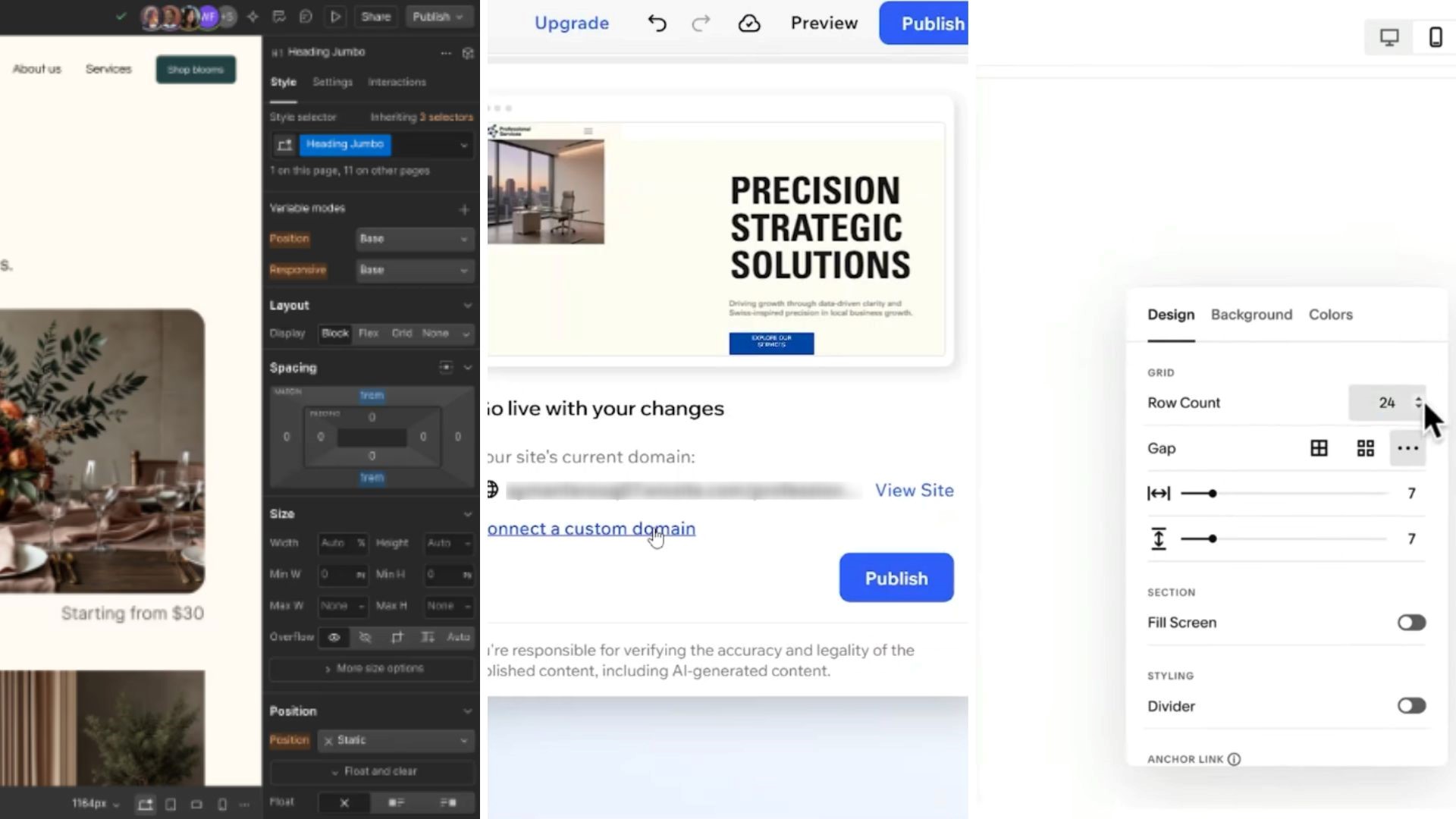
Development complexity refers to how much technical skill a platform demands to build and manage a site.
For teams deciding between Webflow vs Squarespace vs Wix, this directly affects how fast you can launch, iterate, and hand off work without relying on a developer.
Webflow
Designed for designers and developers who want low-code development flexibility without writing raw code. You work visually, but the underlying logic mirrors real HTML, CSS, and JavaScript.
This means faster builds for experienced users, but a steeper ramp-up for anyone new to web design principles.
Wix
Built around drag-and-drop technology that lets virtually anyone build a functional site in hours.
Non-technical users can launch, edit, and update pages independently, making it one of the most accessible no-code website builders available today.
Squarespace
Uses a structured, section-based editor that sits between Wix and Webflow in terms of complexity.
It is simple enough for beginners but limits how far you can push layouts, making it better suited for teams that want consistency over customization.
🏆 Winner: None. All three platforms now offer AI website builders that lets you create websites within minutes by simply adding your prompts. Webflow and Wix’s are the most powerful ones.
Read Also: Squarespace vs Framer: Which Is Better for Quick Website Launches?
🧑💻 User-Friendliness
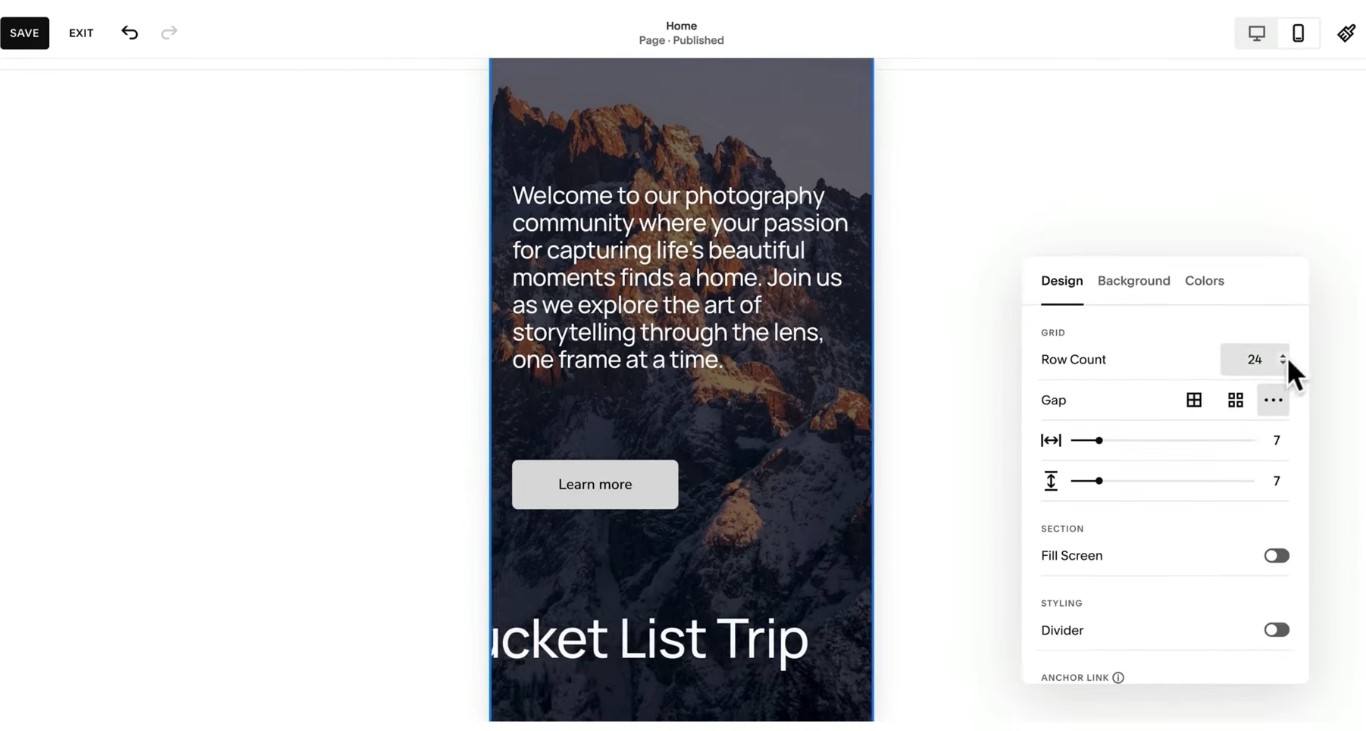
User-friendliness determines how quickly your team can get a site live and maintain it without constant technical support. For non-developers, this can be the single most decisive factor when choosing between these three platforms.
Webflow
Not built for beginners. The interface rewards users who understand design systems and layout logic.
That said, once past the learning curve, marketers and designers can manage content independently using Webflow’s Editor mode, without ever touching the Designer panel.
Wix
The most beginner-friendly of the three. Its drag-and-drop editor requires zero prior experience, and the guided onboarding flow gets first-time users to a live site quickly.
It also offers Wix AI website builder (part of Wix Harmony), which lets you use vibe coding to describe your vision in plain language.
Squarespace
Strikes a clean balance. The section-based editor is intuitive, with a minimal interface that avoids overwhelming new users.
Managing a blog, updating images, or editing copy is straightforward, ideal for small teams that need a low-maintenance online presence without the hassle of managing technical backend servers or coding.
🏆 Winner: Wix – If you want beginner-level user-friendliness, but with robust AI capabilities, choose Wix. Its AI website builder builds a website within minutes.
🎨 Design and Customization
Design flexibility determines how closely your final site can match your brand vision.
The gap between the three platforms becomes most visible here, especially when teams need pixel-perfect layouts or custom interactions beyond what template-based website design process typically allows.
Webflow
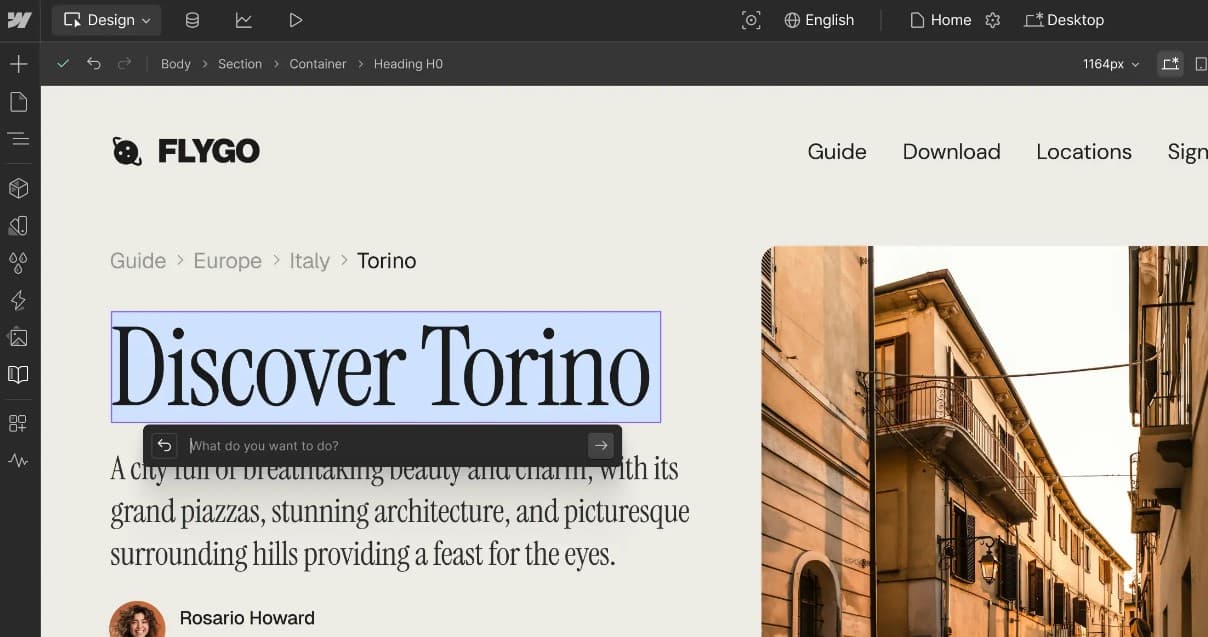
Offers the deepest design customization options of the three. You can control every element’s position, animation, and styling at a near-code level using the visual Designer.
Webflow’s customizable website templates are a starting point, not a constraint, everything from grid structures to hover states can be overridden to produce a fully bespoke output.
Wix
Wix Studio has significantly closed the design gap in recent years, offering responsive web design tools and flexible layout grids that give agencies and growth teams meaningful creative control.
The classic Wix editor remains more template-driven, but Studio allows custom breakpoints, CSS overrides, and multi-layer animations.
Squarespace
Prioritizes visual consistency over deep customization. Its design system ensures sites always look polished, but the section-based editor limits how much you can deviate from the original template structure.
Custom CSS is available on higher plans, though it requires developer knowledge to use effectively.
🏆 Winner: Webflow – No other platform comes close when design precision matters. Webflow gives teams full visual control over every element, making it the clear choice for brands that cannot afford to be boxed in by a template.
Read Also: Custom Website Design vs Templates: When to Choose Which One?
🗂️ Content Management
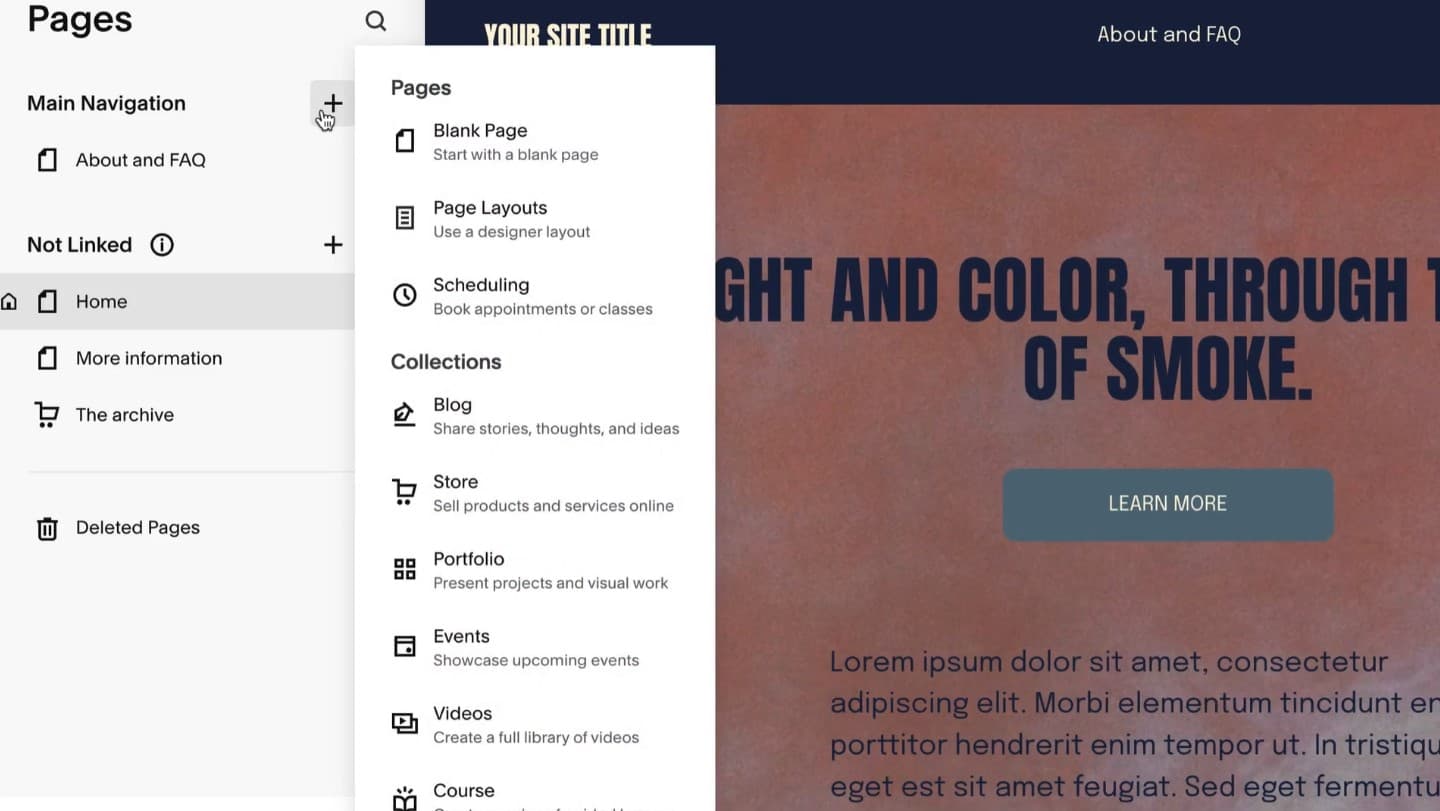
A platform’s CMS determines how well your team can create, organize, and scale content over time.
For growth-focused teams building resource hubs, blogs, or dynamic landing pages, this is where the real capability gaps between the three platforms emerge.
Webflow
Operates on a relational database structure called CMS Collections. Each collection acts as a content type – blog posts, team members, case studies – and items within collections can reference each other dynamically.
As of 2026, Webflow’s next-gen CMS supports up to 40 collection lists per page and multi-level nesting, making it exceptionally powerful for scaling complex content architectures.
Wix
Wix Studio CMS handles structured, database-driven content well for most marketing teams. Collections can be built from scratch or via presets, and content connects to dynamic pages without code.
It also supports external database connections via API, making it workable for teams with more complex data needs.
Squarespace
Best suited for straightforward content needs like blogs and portfolios. Its built-in CMS is clean and easy to use, but relies on flat tags and categories rather than relational data structures.
Teams scaling a serious inbound content engine will quickly hit its ceiling.
🏆 Winner: Webflow – Its relational CMS architecture is in a different league for teams managing complex, interconnected content. No other visual builder comes close to its depth and scalability at this level.
🔍 SEO and Discoverability
SEO capability is where platform choice can directly impact revenue. For growth teams relying on organic traffic, the level of technical control a platform offers over indexing, schema, and page speed determines how aggressively they can scale their search rankings.
Webflow
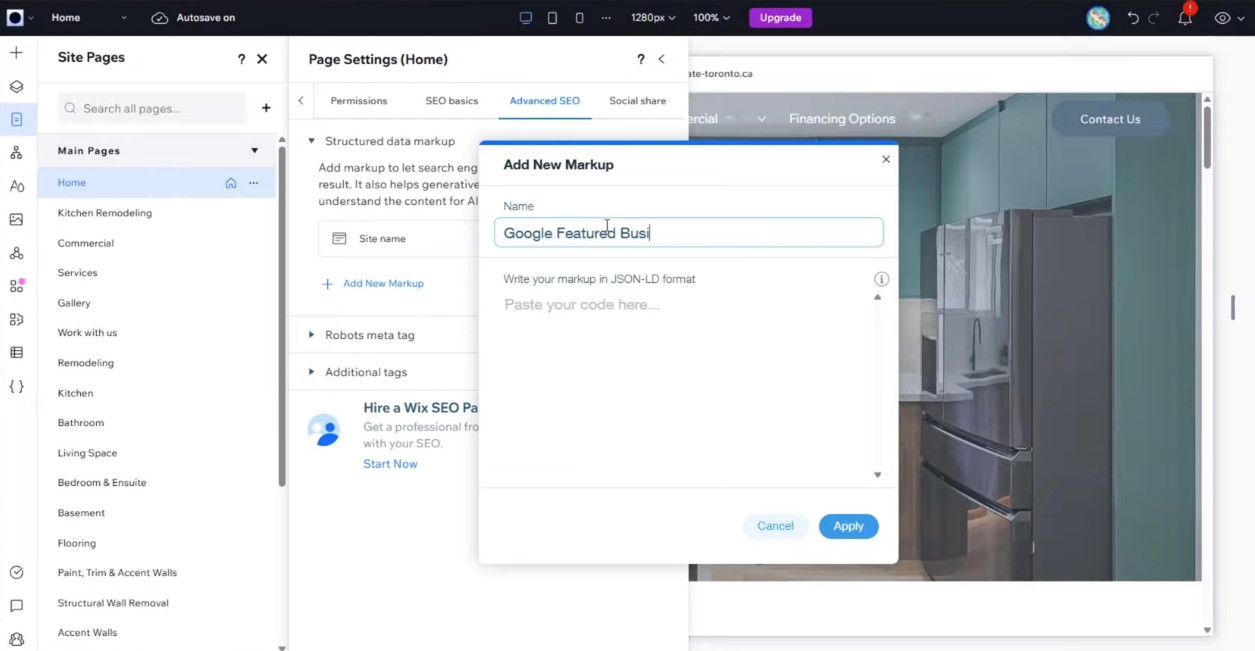
You get full control over meta titles, meta descriptions, 301 redirects, custom URL slugs, Open Graph settings, auto-generated XML sitemaps, and schema markup, without any plugins.
Dynamic CMS collection pages also support unique, field-pulled meta tags per item automatically. Clean semantic code output further improves page speed performance and Core Web Vitals scores.
Wix
Has matured significantly as an SEO platform. Wix Studio now offers structured data support, AI-assisted meta tag suggestions, indexing controls, and GEO targeting features rolled out in 2026.
It covers all essential SEO needs for most marketing teams with its 250+ marketing apps – with 66 specifically for SEO.
Squarespace
Handles basic SEO optimization automatically: clean URLs, auto-generated sitemaps, structured data for blogs and products, SSL certificates, and built-in mobile optimization.
What it lacks is granular control, you cannot edit schema markup manually, and redirect management is limited.
🏆 Winner: Wix — Wix’s combination of clean semantic code, full technical SEO controls, and 66+ SEO-specific apps makes it the strongest platform for teams serious about scaling organic search performance.
💸 Pricing
Pricing structures differ significantly across all three platforms – not just in cost, but in what each tier actually unlocks.
Understanding the value-to-price ratio at each level helps teams avoid paying for features they don’t need or hitting a ceiling too soon.
Webflow
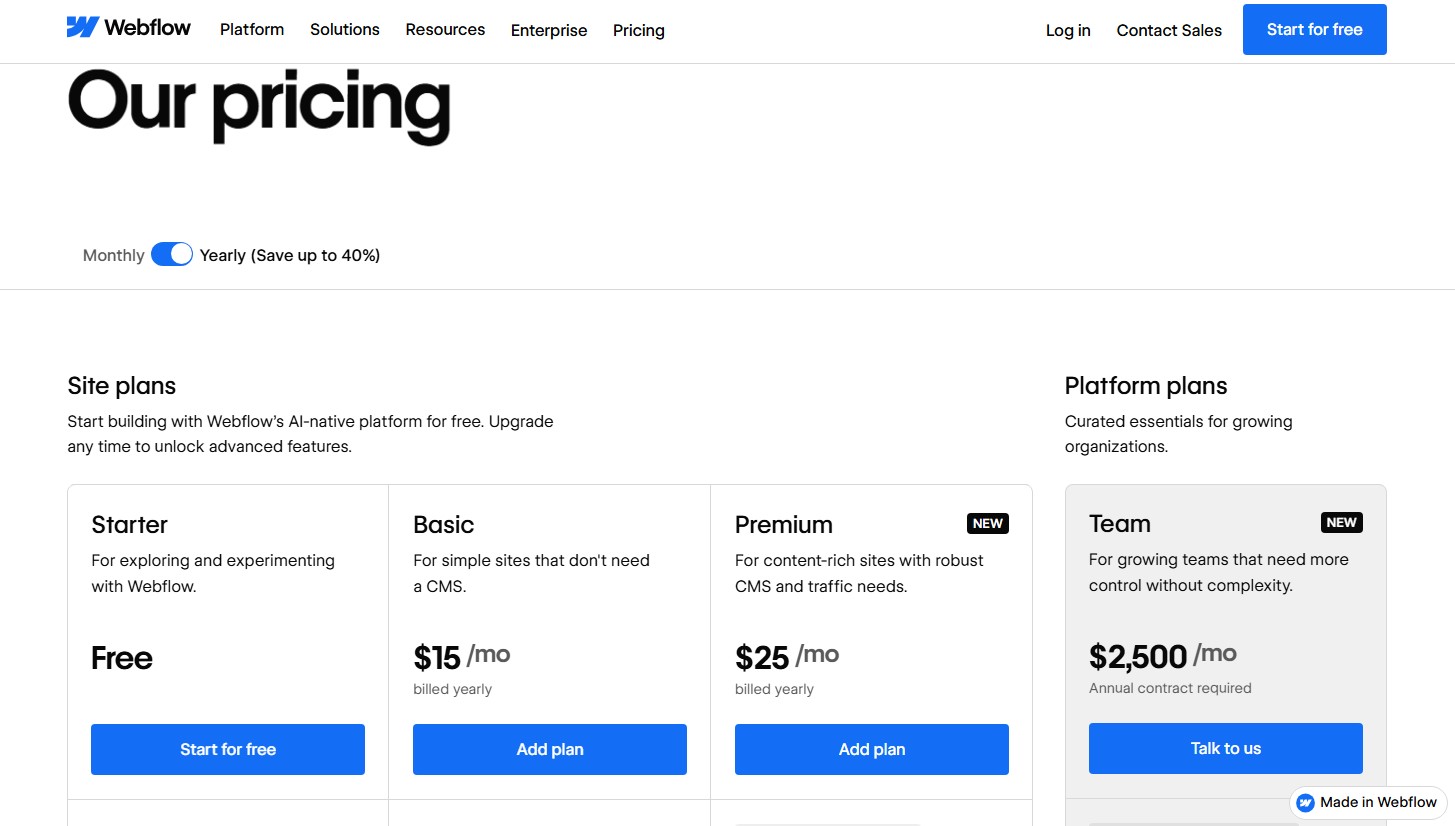
Site plans start at $15/month (Basic) and $25/month (Premium, with full CMS). A separate Workspace plan is required for team collaboration, starting at $19/month (Core) or $49/month (Growth).
For agencies and freelancers, dedicated plans start at $16/month. This dual-plan structure can make Webflow’s total cost higher than it initially appears.
Book a Call
Wix
Offers a free plan with Wix branding, and premium plans starting at $17/month (Light) up to $159/month (Business Elite) billed annually. All plans include hosting, a free domain for a year, and built-in marketing tools.
The structure is straightforward, making it one of the most accessible all-in-one website builders for teams on a budget.
Squarespace
Plans run from $16/month (Basic, billed annually) to $99/month (Advanced).
The Core plan at $23/month removes transaction fees and unlocks custom code and Zapier integration, making it the entry point for most marketing teams.
🏆 Winner: Wix – For most growing teams, Wix delivers the best value. A single plan covers hosting, marketing tools, and collaboration, no separate workspace fees or add-ons required to unlock core functionality.
⚙️ Performance and Maintenance
Site performance directly affects conversion rates, ad spend efficiency, and search rankings.
How much ongoing maintenance a platform demands also determines whether your team stays focused on growth or gets stuck managing technical upkeep.
Webflow
Outputs clean, production-ready semantic code with minimal bloat, which translates directly into fast load times and strong Core Web Vitals scores.
Hosting is managed by Webflow on AWS and Fastly’s global CDN, meaning security and updates management is fully handled, no manual patching, plugin updates, or server maintenance required.
Read Also: Framer vs Webflow: What’s Better for Building High-End Websites?
Wix
Hosting, SSL, and security are all managed automatically, keeping website maintenance requirements extremely low for non-technical users.
Page speed performance on Wix has improved significantly with infrastructure upgrades, though sites with heavy apps or large image libraries can still load slower than leaner Webflow builds.
Squarespace
Fully managed hosting with automatic SSL, security patches, and software updates built in.
It delivers consistent, reliable performance for standard sites – especially those built on clean, template-based website design with limited third-party scripts. Like Wix, it is low-maintenance, but lacks the raw speed ceiling that Webflow can achieve.
🏆 Winner: Webflow – It combines the best of both worlds: enterprise-grade performance through clean code and a global CDN, with zero infrastructure maintenance.
Comparison Table
Before we jump into the detailed breakdown, let’s have a quick look at these cloud-based website builders, so you can get a quick idea which platform is the closest solution to your needs.
| Webflow | Wix | Squarespace | |
| Best for | Growth-stage startups | Small businesses | Creators & brands |
| Starter plan | $15/mo | $17/mo | $16/mo |
| Free trial/plan | ✅ | ✅ | ✅ |
| Ease of use | Moderate learning curve | Beginner-friendly | Very intuitive |
| Design freedom | Pixel-perfect control | Flexible drag-and-drop technology | Polished templates |
| Custom code | Full support | Limited support | Basic injections |
| Website templates | 10,800+ | 900+ | 200+ |
| App market | 800+ apps | 300+ apps | 40+ apps |
| SEO control | Highly customizable | Strong built-in SEO | Good built-in SEO |
| eCommerce | Flexible & scalable | Easy setup | Stylish storefronts |
| Transaction fee for eCommerce stores | Ecommerce Standard: 2%
Ecommerce Plus/Advanced: 0% Calculated on order total + taxes |
Percentage of the transaction amount plus a fixed fee | 3% to 9% of the transaction amount – depends on location and subscribed plan |
| Best pick if… | Marketing drives growth | Speed matters most | Design matters most |
When Is Webflow the Right Choice?
Choose Webflow if you need precise design control, a scalable CMS, and strong technical SEO, without depending on a developer for every change. It suits growth-stage startups, SaaS companies, and marketing teams running serious inbound content engines.
➤ Best use cases:
- A SaaS startup building a high-converting marketing site with custom animations and dynamic pricing pages
- A marketing team scaling a resource hub with relational CMS collections: linking blog posts, authors, and case studies automatically
- A growth team that needs to A/B test landing pages, manage 301 redirects, and control schema markup, all without plugin bloat
Webflow gives you a leaner, faster stack built on no-code website development principles, compared to WordPress, the most popular CMS.
Read our complete guide on Webflow vs WordPress to know more.
When Is Wix the Better Option?
Wix is the better option when speed of launch, ease of use, and budget flexibility matter more than deep technical customization. It suits small business owners, freelancers, and early-stage startups that need a professional live site quickly.
➤ Best use cases:
- A local service business or restaurant needing a clean, functional site without hiring a developer
- A small eCommerce brand that needs built-in payments, email marketing, and booking tools – all from one dashboard, without stitching together third-party tools
- A team exploring no-code website builders for the first time, wanting a low barrier to entry with room to grow
Wix also works well for teams comparing WordPress vs Wix who want to avoid the plugin maintenance overhead of a self-hosted setup.
When Should You Choose Squarespace?
Choose Squarespace if you need visual polish, simplicity, and low ongoing effort are the priority. It works best for individuals and small teams that want a beautiful, reliable site without managing technical complexity.
➤ Best use cases:
- A photographer, architect, or designer building a portfolio site where aesthetics and curated layouts do the heavy lifting
- A boutique eCommerce brand that needs clean product pages, built-in checkout, and inventory management without a developer
- A small business that wants reliable website design practices baked into ready-made templates, without needing to configure anything from scratch
Squarespace is also a strong pick for teams that want a genuinely low-maintenance online presence without the hassle of managing technical backend servers or coding, and have no plans to scale into complex CMS or custom integrations.
Conclusion
Choosing between Wix, Webflow and Squarespace comes down to one question: what does your team actually need from a website? None of these platforms is universally better. The right choice is the one that eliminates your team’s specific bottlenecks, and turns your website from a maintenance burden into a growth asset.