




- Squarespace accelerates ecommerce launches with built-in checkout and product management tools.
- Framer offers more control over responsive layouts and interactive landing pages.
- Squarespace streamlines routine content updates, while Framer allows more customized CMS layouts.
- Framer’s lower subscription prices may lose their advantage when projects need external integrations.
- Squarespace fits commerce-focused websites, while Framer suits design-intensive marketing projects.
Framer and Squarespace are hosted website builders that combine visual editing, content management, and publishing. Both can launch professional websites without traditional coding. However, they remove different obstacles from the development process.
Framer prioritizes design control and rapid visual iteration. Squarespace combines website creation with established business and commerce workflows. The Framer vs Squarespace choice depends on what your team needs to launch and maintain.
Squarespace vs Framer: Main Differences at a Glance
Squarespace is generally faster for businesses using established website structures and built-in operational tools. Framer can accelerate launches when experienced designers need distinctive layouts and frequent visual changes. Neither platform is universally faster.
| Decision factor | Squarespace | Framer |
| Primary strength | Integrated business website | Design-led marketing website |
| Initial setup | Structured templates and sections | Flexible visual canvas |
| Design freedom | Controlled customization | Extensive layout and interaction control |
| Content publishing | Established blogging and commerce workflows | CMS collections connected to custom layouts |
| Ecommerce | Native product and checkout features | Usually requires external commerce solutions |
| Best team fit | Owners and generalist editors | Designers and marketing teams |
| Main trade-off | Less freedom for unusual interfaces | More responsibility for design decisions |
Consider who will operate the website after launch. A founder managing products and appointments has different requirements from a designer running campaign experiments. Comparing Framer and Squarespace without considering ownership can produce the wrong recommendation.
Pros & Cons of Squarespace and Framer
The Squarespace vs Framer comparison reveals a trade-off between structured management and creative control. Both simplify website creation, but their limitations affect different project requirements.
| Comparison Area | Squarespace Pros | Squarespace Cons | Framer Pros | Framer Cons |
| Website Setup | Ready-made templates simplify standard launches. | Unusual layouts may require additional customization. | Visual canvas supports custom page creation. | Beginners face a steeper learning curve. |
| Design Flexibility | Consistent styling controls maintain visual coherence. | Less freedom for unconventional layouts. | Extensive control over layouts, animations, and interactions. | Complex designs require careful responsive testing. |
| Content Management | Built-in blogging and established publishing workflows. | Complex content structures can require workarounds. | Flexible CMS collections support custom layouts. | Collection limits depend on the plan. |
| Ecommerce | Native product management and checkout. | Advanced features may require higher plans. | External integrations enable selected commerce use cases. | No comparable native ecommerce system. |
| SEO | Built-in tools simplify routine optimization. | Some technical configurations offer limited control. | Customizable metadata, redirects, and structured data. | Advanced configurations may require additional setup. |
| Collaboration | Structured editing supports routine business updates. | Unusual design changes may require specialists. | Reusable components simplify consistent design updates. | Collaboration features and costs vary by plan. |
| Maintenance | Managed hosting reduces infrastructure responsibilities. | Extensive customizations can complicate maintenance. | Reusable components accelerate visual updates. | Complex interactions require ongoing testing. |
A Detailed Comparison of Squarespace and Framer
This Framer vs Squarespace comparison examines the practical trade-offs behind each platform. Each criterion considers launch requirements and post-launch responsibilities.
🛠️Development Complexity
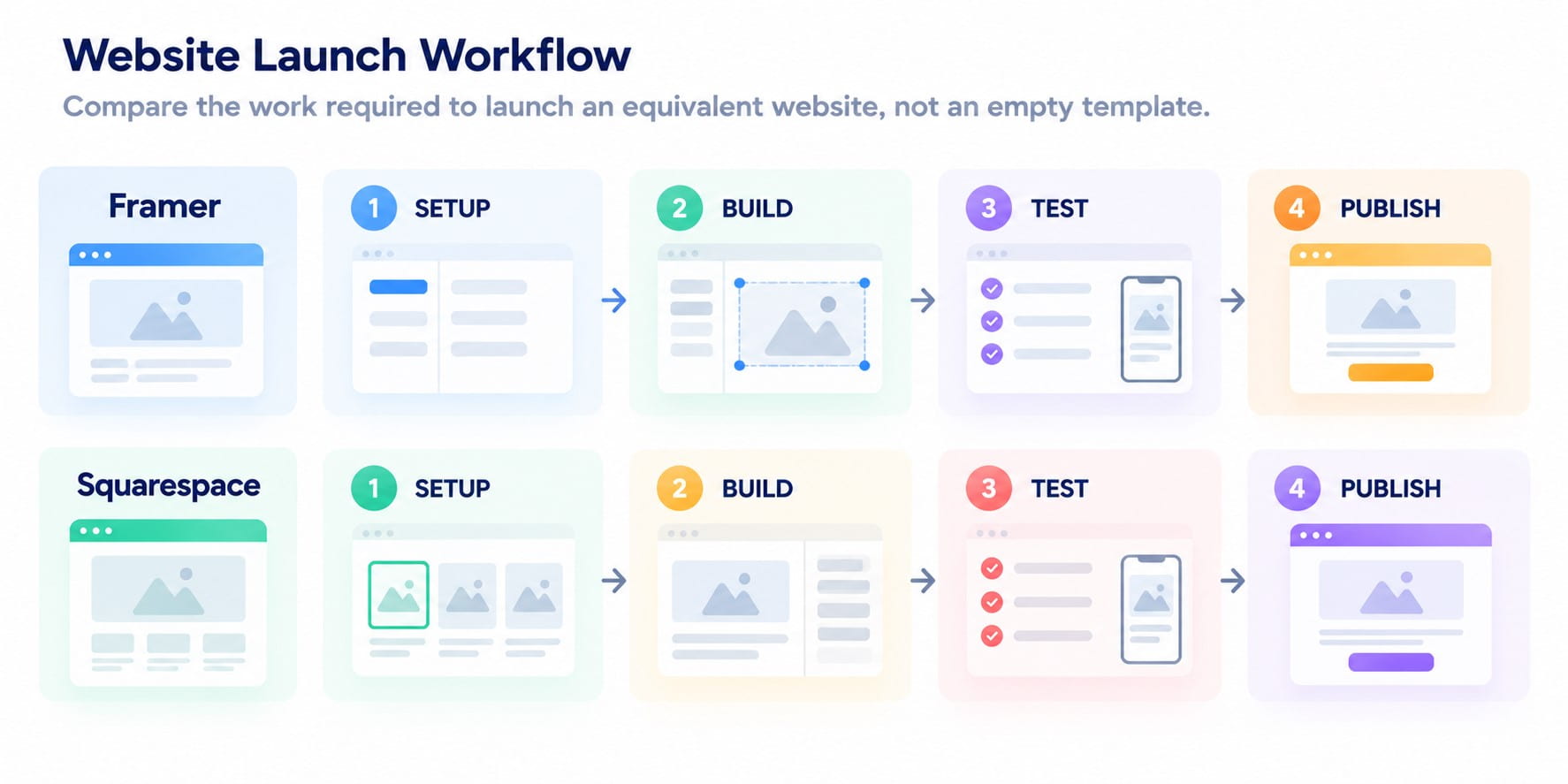
Squarespace usually requires fewer decisions when building a conventional business website. Framer lets experienced designers build custom layouts without a separate handoff to developers. Even no-code website builders become harder to implement when projects require unusual functionality.
For a five-page consultancy website, Squarespace provides a relatively direct path through template selection and content replacement. A campaign microsite with custom transitions may take fewer design compromises in Framer. Neither outcome establishes a universal development-time advantage.
Before committing, test the complete website design process using one representative page. Include mobile adaptation, form configuration, analytics, and publishing. A homepage preview alone cannot reveal operational complexity.
🧑💻User-Friendliness
Squarespace is generally easier for people managing websites alongside other business responsibilities. Framer feels more intuitive to users familiar with professional design tools. Ease of use therefore depends on the person performing each task.
A business owner might need to replace images, publish articles, and update service descriptions. Squarespace organizes these activities around established content and page-editing workflows. Framer offers greater freedom, but unfamiliar layout controls can slow occasional editors.
Evaluate the handoff before choosing a drag-and-drop website builder. Ask the future owner to complete three routine tasks without assistance. Their experience matters more than the designer’s first impression.
Useful tests include:
- Replace a homepage image
- Publish a new article
- Update a navigation link
- Adjust a mobile layout
- Restore an unintended change
Established website design practices remain important regardless of the editor. Clear hierarchy and predictable navigation should survive routine content updates. A flexible interface becomes a liability when editors accidentally damage consistency.
🎨Design and Customization
Framer lets designers control page composition and create interactive elements beyond conventional template structures. Its website animation tools support distinctive experiences across responsive breakpoints. Framer website design is particularly useful when visual storytelling strengthens product communication.
Squarespace uses structured sections and styling controls to keep pages consistent during routine edits. Both platforms support responsive website design, but Squarespace offers less freedom for unconventional layouts. Complex customizations may require additional CSS or development work.
The decision between custom website design vs templates should reflect brand requirements rather than visual preference alone. Customization creates value when it improves communication or usability. Decorative complexity can increase testing and maintenance without improving outcomes.
📝Content Management
Squarespace is well suited to routine blogging and business content management. Framer provides flexible CMS collections connected to custom page designs. The better system depends on content relationships and editorial responsibilities.
What to test before choosing:
- Blog publishing: Squarespace supports scheduled posts and established editorial workflows.
- Commerce integration: Squarespace connects product management and content with native purchasing features.
- Structured content: Framer’s CMS features and capabilities support collections, references, and reusable layouts.
- Custom content types: Test Framer with directories, resource libraries, or case-study collections.
- Plan limitations: Check CMS collection limits and advanced features before selecting a Framer plan.
- Content relationships: Test how related CMS records connect across pages and templates.
- Editorial independence: Ask an editor to update records without modifying the underlying page design.
The Framer vs WordPress comparison helps teams assess publishing workflows and requirements for complex content structures.
🔍SEO and Discoverability
Both platforms provide essential SEO features for website builders. Neither guarantees better search rankings through platform selection alone. Content quality, architecture, and technical implementation remain decisive.
Framer supports customizable metadata, automatic sitemaps, structured data, and redirects. Its SEO configuration options also include controls for indexing and semantic markup. Some capabilities depend on the plan and implementation.
Squarespace provides metadata controls, sitemaps, mobile optimization, and built-in structured data. Its SEO checklist covers important publishing checks. The platform also supports routine content optimization without separate infrastructure management.
A meaningful SEO comparison should test the same tasks on both platforms:
| SEO task | What to verify |
| Metadata | Unique titles and descriptions |
| URL changes | Redirect availability and behavior |
| CMS pages | Editable metadata for repeated content |
| Structured data | Required schema implementation |
| Indexing | Sitemap and robots controls |
| Mobile experience | Layout stability and usability |
Squarespace handles routine publishing, while Framer projects need closer checks of CMS metadata and dynamic page templates. A local service website may need little beyond standard settings and strong content. A growing resource library requires more careful evaluation of templates, URLs, and structured data.
💸Pricing
Framer offers a lower entry price, with Basic at $10/month and Pro at $30/month when billed annually. These plans include two and ten CMS collections, respectively. Additional editors and advanced features may increase costs.
Squarespace plans start at $19/month with annual billing in the US. Its Basic, Core, Plus, and Advanced tiers offer varying levels of collaboration, customization, and commerce functionality. When comparing Squarespace and Framer, consider total project costs rather than subscription prices alone.
The current plan structure also affects transaction costs and advanced integrations. Pricing varies by region and billing arrangement. Verify the final checkout price before making a budget decision.
| Project Type | Framer: Cost Considerations | Squarespace: Cost Considerations |
| Simple portfolio | Basic subscription may cover essential publishing needs. | Entry subscription includes structured website editing. |
| Marketing website | CMS collections and additional editors can affect costs. | Collaboration and advanced customization depend on the plan. |
| Online store | External commerce integrations may introduce additional fees. | Native commerce functionality depends on the selected tier. |
| Content-heavy website | Collection limits and localization affect plan selection. | Publishing requirements and contributor access influence pricing. |
| Growing team | Additional editing access may increase costs. | Contributor permissions and plan capabilities require review. |
A lower subscription cannot compensate for expensive functionality gaps. Conversely, paying for unused commerce features offers little value to a presentation-focused website. Calculate costs around the actual launch scope.
⚙️Performance and Maintenance
Both platforms manage hosting, but page performance still depends on media assets and implementation choices. Their maintenance requirements differ more significantly when teams introduce custom functionality.
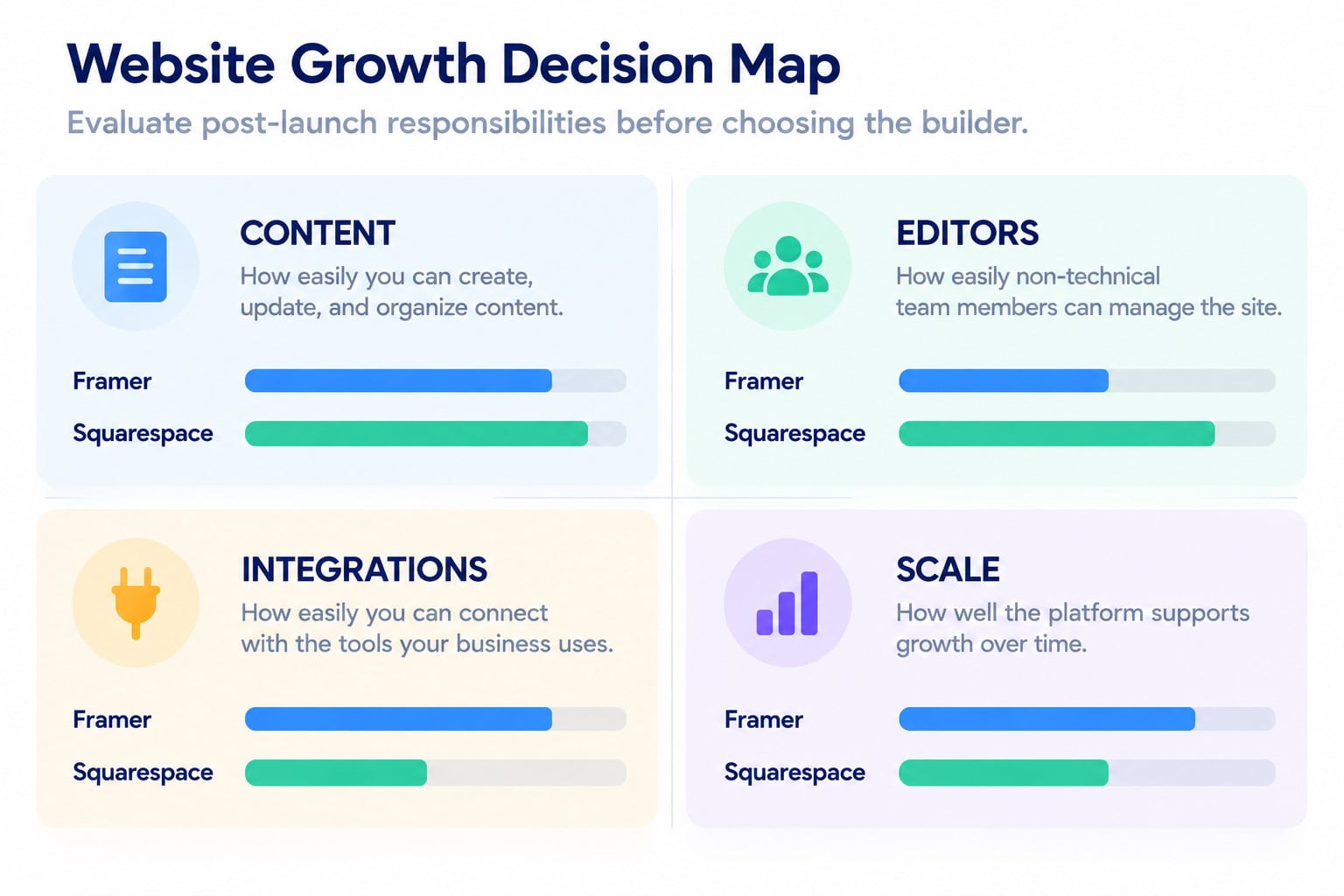
Framer simplifies frequent design changes through reusable components, making it suitable for evolving marketing websites. Squarespace offers more predictable maintenance within established page structures. The maintenance burden increases when custom integrations or complex interactions require regular testing.
Test website scalability and performance using realistic content and required integrations. Measure key pages on mobile devices before and after adding animations or third-party scripts. This reveals potential performance issues before launch.
Before choosing Framer or Squarespace, test these maintenance scenarios:
- Content updates: Check whether non-designers can edit pages without disrupting layouts.
- Design changes: Compare how easily teams update shared components across multiple pages.
- New integrations: Test whether additional functionality requires external services or custom development.
Book a Call
Comparison Table
The final Squarespace vs Framer comparison depends on your project’s most important constraint. Use this table to identify the stronger default option for each requirement.
| Criterion | Squarespace | Framer | Practical verdict |
| Development complexity | Structured setup | Flexible visual production | Squarespace for standard sites |
| User-friendliness | Accessible to generalists | Better suited to designers | Squarespace for occasional editors |
| Design customization | Controlled flexibility | Extensive visual freedom | Framer for distinctive interfaces |
| Content management | Blogging and commerce workflows | Flexible CMS-driven layouts | Depends on content structure |
| SEO | Strong built-in essentials | Customizable metadata and technical SEO settings | Depends on technical requirements |
| Pricing | Higher entry price, broader business tools | Lower entry price, plan-based limits | Compare complete project costs |
| Maintenance | Consistent operational workflows | Efficient visual iteration | Depends on the team |
When Is Squarespace the Right Choice?
Choose Squarespace when your website must support everyday business operations without demanding constant design involvement. It is particularly practical for service providers, small retailers, and content-focused businesses. Its value comes from combining common workflows inside one environment.
Consider three typical scenarios.
- A local consultancy needs a professional website. The team publishes service pages, collects inquiries, and occasionally updates articles. Squarespace provides a structured approach without requiring a dedicated designer.
- A boutique retailer needs online transactions. Product listings, checkout, and order-related features matter more than elaborate page transitions. Native commerce capabilities reduce the number of separate systems requiring evaluation.
- A professional practice needs reliable content updates. Several employees may edit service information or publish announcements. Consistent layouts help maintain quality when design expertise is limited.
Squarespace becomes less attractive when unusual interfaces define the brand experience. Projects needing extensive custom interactions should undergo early feasibility testing. Additional customization may undermine the simplicity that initially justified the platform.
The Squarespace vs Webflow vs Wix comparison helps businesses evaluate alternative editing workflows and website customization requirements.
What Types of Projects Work Best With Framer?
Choose Framer when visual differentiation and rapid design iteration directly support the website’s purpose. It works particularly well for marketing teams, digital products, and presentation-focused brands. Designers can refine layouts without a traditional design-to-development handoff.
Three scenarios demonstrate its strongest applications.
- A SaaS startup needs a product launch site. The team wants custom feature sections, interactive demonstrations, and frequent messaging experiments. Framer supports visual iteration while keeping production close to the design process.
- A creative studio needs a distinctive portfolio. Presentation and motion help communicate the quality of its work. Framer’s flexible canvas supports portfolio website design beyond conventional template patterns.
- A growth team needs campaign landing pages. Reusable components can reduce repetitive production work across related campaigns. Teams should still validate forms, analytics, and mobile performance before launch.
Framer is less straightforward when native commerce operations become the website’s primary function. Complex backend requirements may also demand integrations or a different architecture. Test those dependencies before investing heavily in custom visual production.
The Framer vs Webflow comparison helps design teams evaluate CMS flexibility and development requirements for expanding websites.
Conclusion
The Framer vs Squarespace decision comes down to workflow fit. Squarespace generally suits businesses prioritizing integrated operations and straightforward maintenance. Framer is stronger when distinctive design and rapid visual iteration justify greater creative control.
Choose between Squarespace and Framer based on which platform your team can manage confidently after launch. A fast launch loses value when routine updates require redesigns or technical workarounds.